What donors want from an annual report
Donors do not open an annual report to admire the layout. They open it to check a decision they already made: was giving to you a good idea, and should they give again? Each part of the report should answer one of five questions.
- Did my money do something? Outcomes, not activities: families housed, children reading, animals adopted. "We ran 14 programs" answers nothing.
- Can I see one person it changed? One named story, told with consent, does work a page of totals cannot.
- Where did the money go? Income by source, spending by category, and a link to the audited statements. Leaving the money out reads as hiding it.
- Do you know I helped? Thanks that name people, families, foundations, volunteers and partners, not one line to "all our supporters".
- What comes next, and what can I do? A goal for next year and one clear way to give, volunteer or share.
Donors are not the only readers. Board members and program officers check the numbers and the finances, volunteers look for themselves, and a local reporter looks for one figure and one quote. Write one report that skims well: a summary on the first screen, sections that stand on their own, and links to the detail.
Plan for the skim. Assume many readers will see the first screen, the numbers and one story, and nothing else. Put your strongest material in those three places.
The structure: seven sections, in this order
Most nonprofit annual reports that work share this backbone, and the 8 examples below use most of it: people and results first, then the money, then thanks, then the ask.
1. A letter from the executive director or board chair
First person, signed with a name, a title and a photo. Say what the year was about in one sentence, name what mattered most, thank the reader and say what comes next. Leave the program detail to the rest of the report. Under 400 words is a good limit; a joint letter works when the chair covers direction and the director covers the work.
2. The year in numbers
Four to six figures, picked for what they prove rather than how big they are. Give each a unit and a comparison: against last year, a goal or the need. "17 days average stay, down from 20" says more than "17 days". Every figure should come from one sheet your finance or program lead has approved, and match everywhere it appears. If a figure is preliminary, say so.
3. Stories
One to three stories, each about a person (or a family, a school, an animal): the situation, what you did and what changed, in their words where you can. Get written consent for names, quotes and photos, and say so if you change a name. Video helps, but the story should also work as text.
4. Programs
One short block per program: what it is, who it served, one number and one photo. Group programs by what they achieve rather than by your org chart. Readers do not know your department names and do not need to.
5. Finances
A one-screen summary: income by source, expenses by category (programs, fundraising, management and general) and the year's result, as text and as a chart, with links to the audited statements and, in the US, your Form 990. Never publish the financials only as an image: screen readers, search engines and anyone copying a figure lose them. Get your treasurer's approval first.
6. Thanks
Donors, funders, volunteers, partners and in-kind donors. Group a long donor list by giving level or move it to a linked file, honor anonymity requests, and check every name twice: this is the section people search for themselves. One sentence on what a group made possible beats a wall of logos.
7. Next year
One to three goals and a specific ask: a campaign, a new site, a capital project, a volunteer drive. End with one main call to action. If you offer other ways to help, put them below it, not beside it.
Optional, depending on your funders: a mission statement on the first screen, your board and senior staff, and a short note on how you measure outcomes. For more on each part, see what to include in an annual report and how to write an annual report. If you only need one page for a funder meeting, a nonprofit one-pager is the shorter format.
Section checklist
Tick items off as you go; your ticks are saved in this browser only. "Copy as text" puts the whole list on your clipboard, ready to paste into a doc, an email or your project tracker.
8 nonprofit annual reports published as web pages
We opened each of these in November 2026 and describe only what the page showed. Four come from local or regional organizations, four from national or international ones; all are web pages first, and some also offer a PDF. Several other report pages we opened were a short post with a PDF link or a flipbook, so we left them out.
1. Edmonton Humane Society: 2024 Annual Report
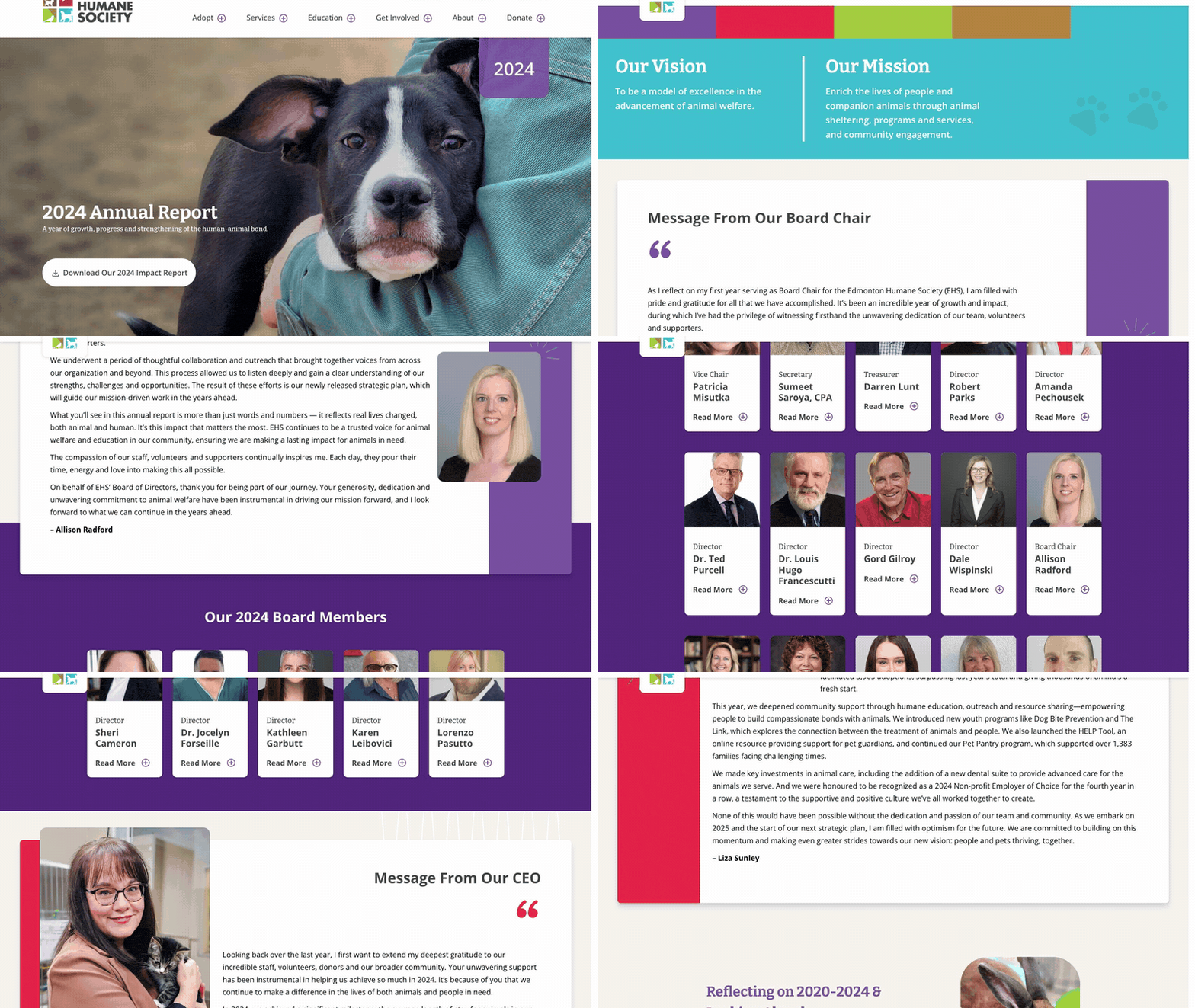
Visit site ↗What it is: One long page with nearly every section from the list above: messages from the board chair and the CEO, key achievements, two animal stories (Lavern the Dog, Douglas the Cat), programs, volunteers, supporters and a 2024 financial overview, with PDFs alongside.
Worth copying: Numbers with context. The average length of stay is "17 days", shown against 20 in 2023 and 23 in 2022, and the financial overview gives revenue and expense shares as plain text. A "$143" average gift is the kind of figure a small donor can picture.
Watch out for: The charts are images; put each one's takeaway in a caption or alt text as well.

2. Habitat for Humanity of Metro Denver: Annual Impact Report 2026
Visit site ↗What it is: A page for the fiscal year July 1, 2025 to June 30, 2026: the CEO's full letter, six counters (new construction homes, renovations, homes resold, CAPABLE modifications, accessory dwelling units, home repairs), homeowner stories with video, volunteer profiles, a ReStore spotlight ("$868,209 generated in total profits"), donor appreciation and two pie charts for the year-end financials. The full report, financials and donor list are PDFs.
Worth copying: The letter needs no download, the stories are short and filmed, and the long donor list sits in a linked file.
Watch out for: Read as plain text, all six counters showed "0" because a script fills them in. Tools that do not run scripts, such as some crawlers and link previews, see zeros. Put the final number in the page and animate from there.
3. Foodbank WA: Annual Impact Report 2024
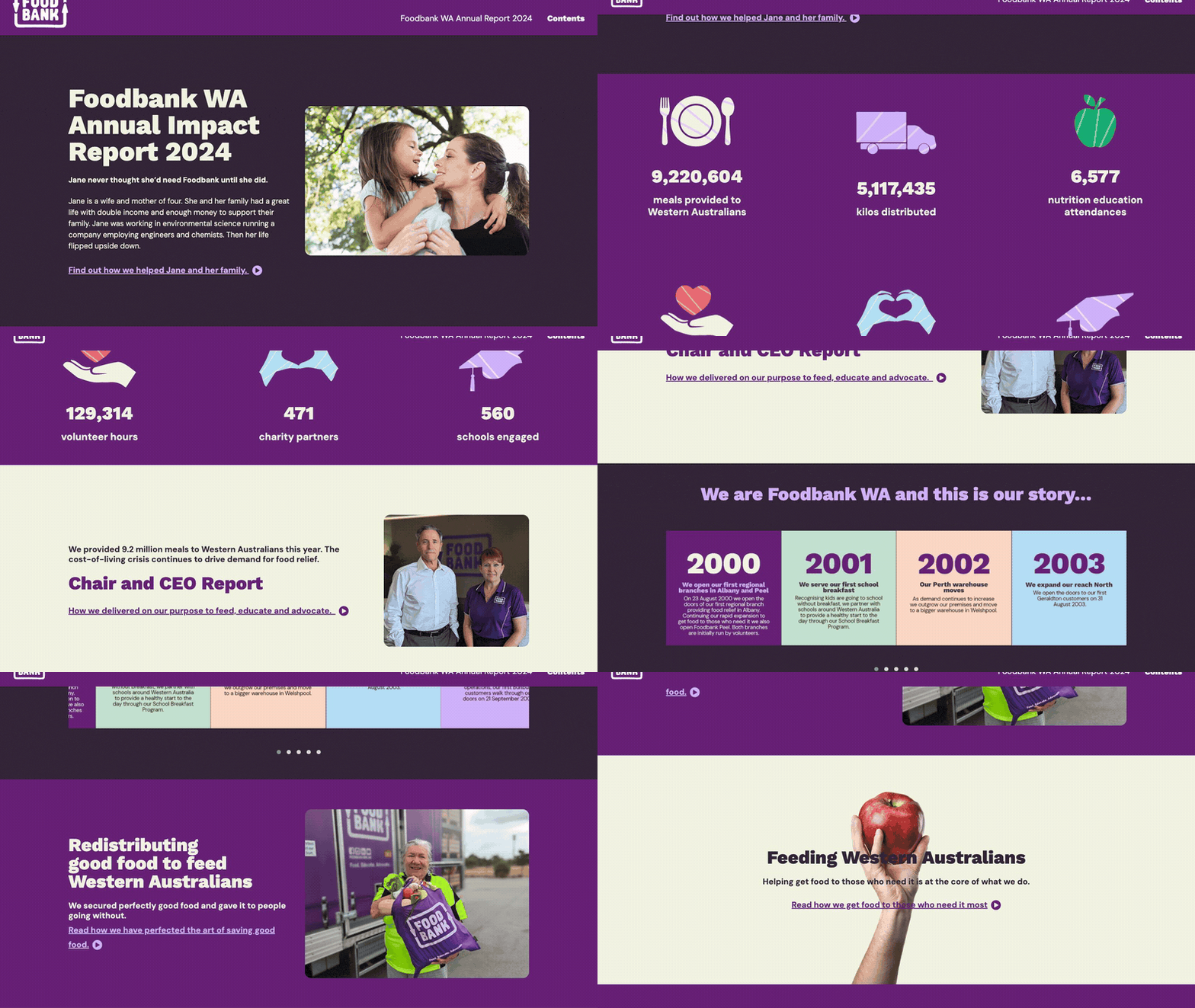
Visit site ↗What it is: Foodbank Western Australia's 2024 report opens on one person: "Jane never thought she'd need Foodbank until she did." Then come six key figures (meals, kilos distributed, nutrition education attendances, volunteer hours, charity partners, schools engaged), a joint Chair and CEO report, and chapters named after what the charity does: redistributing food, feeding Western Australians, nutrition education and advocacy. Patrons, people, corporate partners and a financial report close it.
Worth copying: A story before the statistics, and chapters named by purpose rather than by department.
Watch out for: The financial report is shown as an image, so its figures cannot be read aloud, found by search or copied. Give the main totals as text next to it.
4. Turn2us: Annual Report 2024-2025
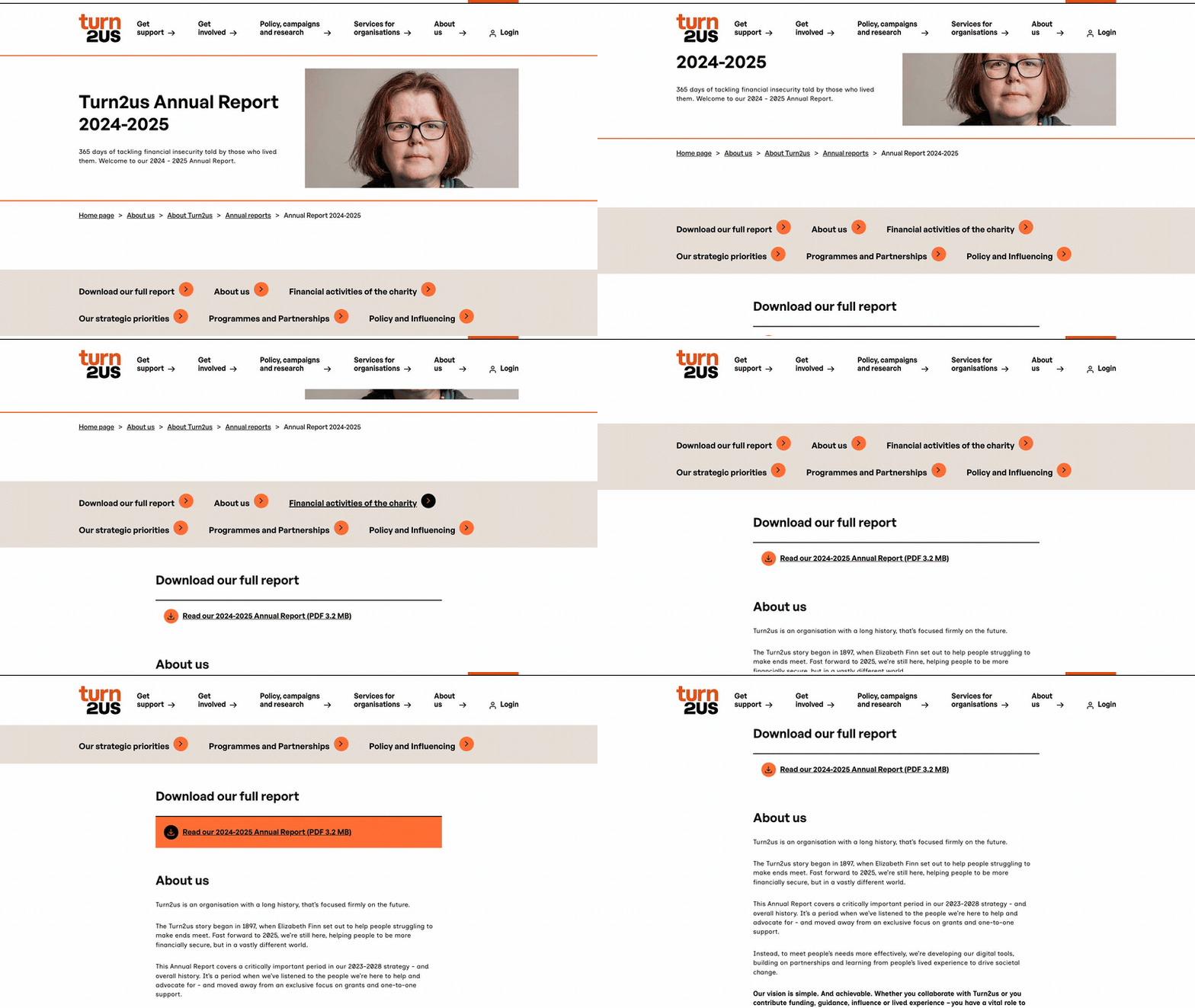
Visit site ↗What it is: A web summary in front of the full report, which is linked at the top as a 3.2 MB PDF: who the charity is, its income and spending, its strategic priorities, programs and partnerships, and policy work.
Worth copying: The money in plain text: income of £8.2 million, spending of £13.1 million, the largest sources and uses with their shares, and 81p of every £1 spent going to charitable activity. If you can only build one page, build this one: a summary, the money and a link to the full file.
Watch out for: There is no letter on the page, only a pull quote from the chief executive. A short signed welcome would make the summary read less like a fact sheet.
5. The Boston Foundation: 2025 Annual Report
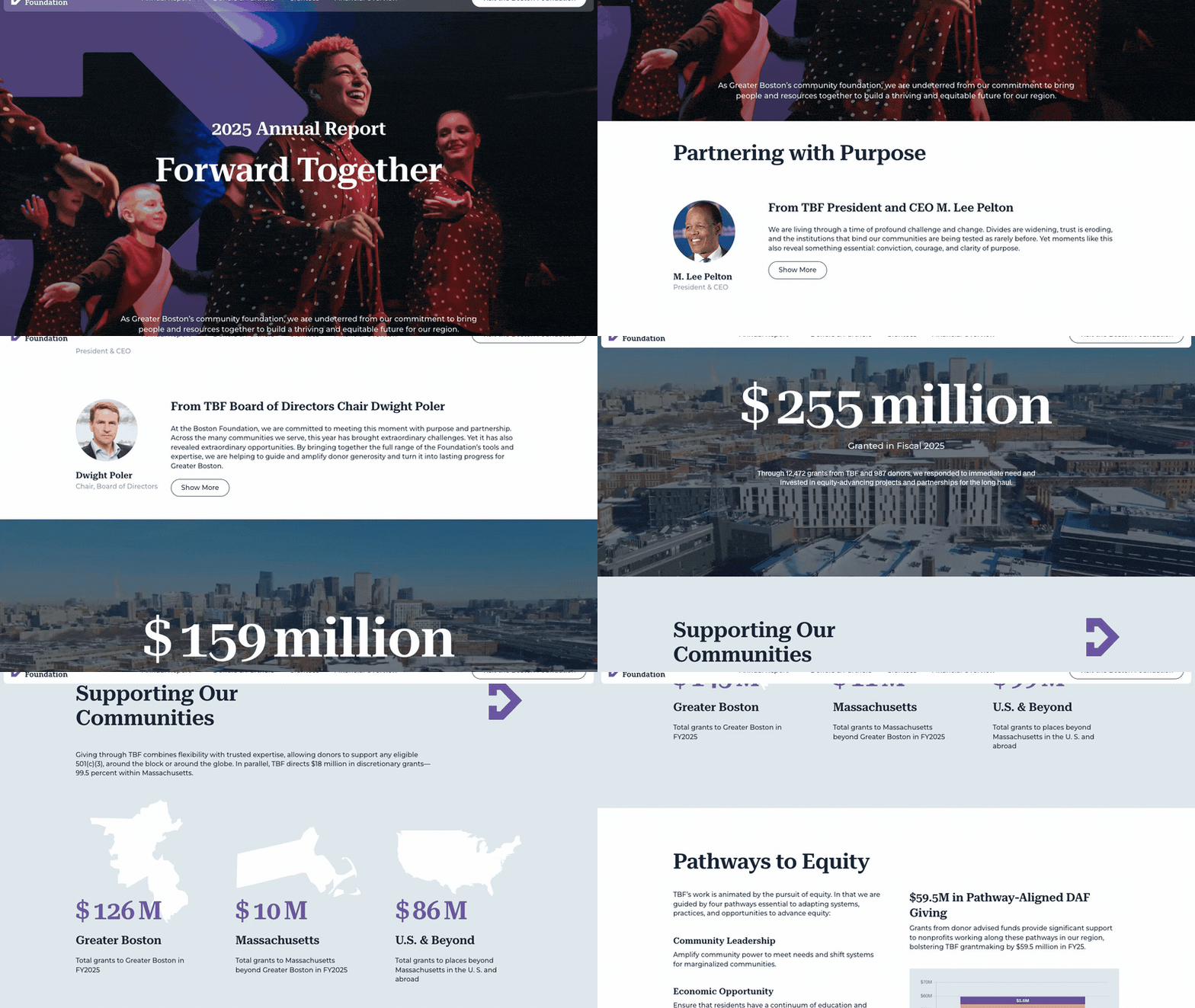
Visit site ↗What it is: Greater Boston's community foundation calls this its "first fully digital annual report". A single-page site holds letters from the president and CEO and from the board chair, its community and equity work, a six-step approach (listen, research, convene, partner, invest, advocate) shown as clickable steps, donor and partner profiles and a closing "Join Us" section. Fiscal 2025 grantmaking: "$255 million".
Worth copying: "Join Us" gives donors, grantees and civic partners each a route in (become a donor, hear from us, convene with us, learn more) instead of a lone donate button.
Watch out for: We found no PDF of the report, so plan a fixed copy if a funder or your archive needs one. Text inside tabs and "show more" toggles is easy to miss on a phone.
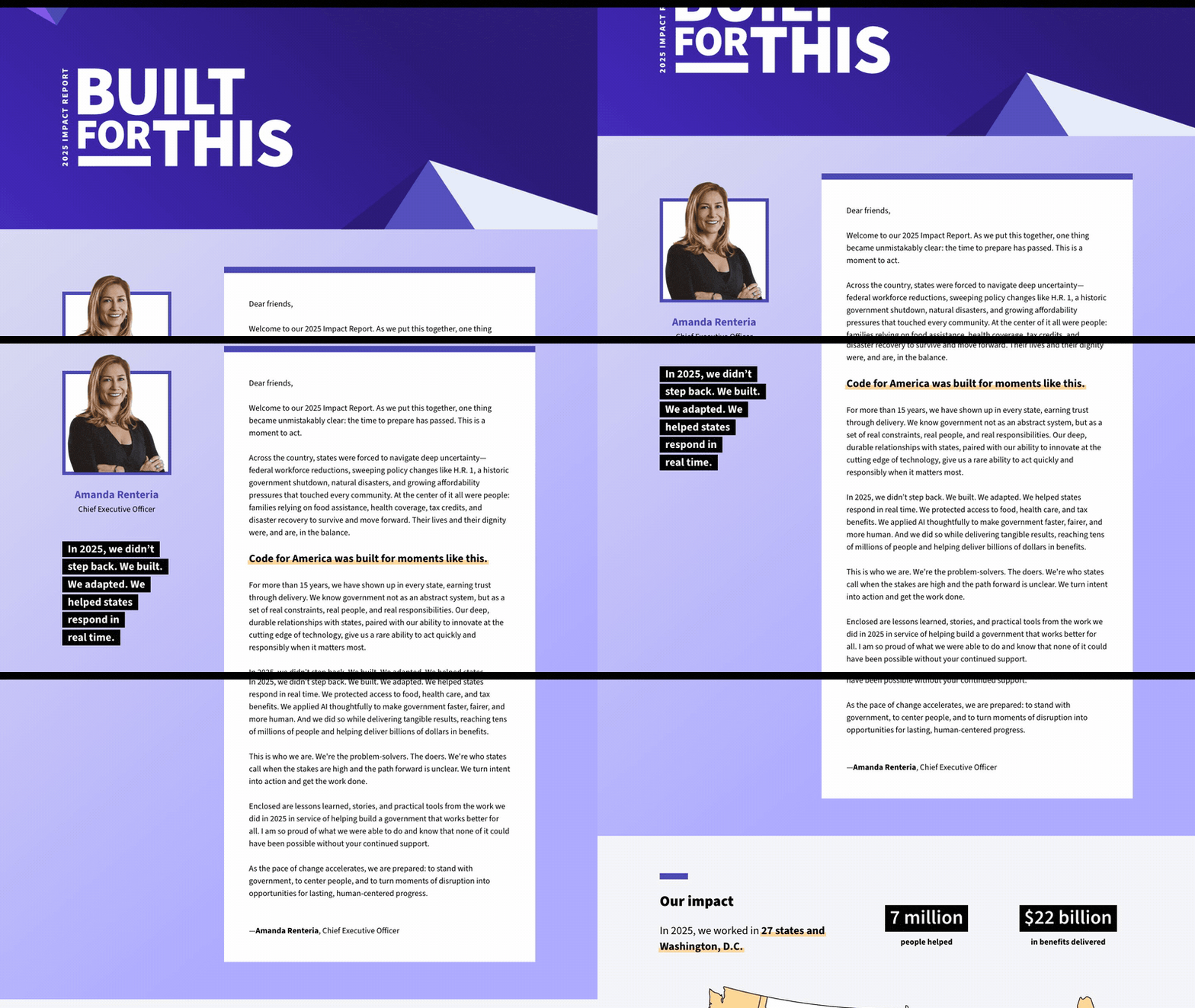
6. Code for America: 2025 Impact Report
Visit site ↗What it is: The yearly report (Code for America calls it an impact report) as anchored sections on its own site: a letter from the CEO, "Our impact" ("7 million" people helped, "$22 billion" in benefits delivered), state program highlights, leadership and board, and "Looking ahead", with five short "Watch" videos and funder spotlights. No PDF; financial statements sit on a separate page.
Worth copying: Funder spotlights tie each funder to a piece of work, which says more than a logo wall. "Looking ahead" ends on plans, not a recap.
Watch out for: No financial summary inside the report. One paragraph with income and spending would save donors a click.
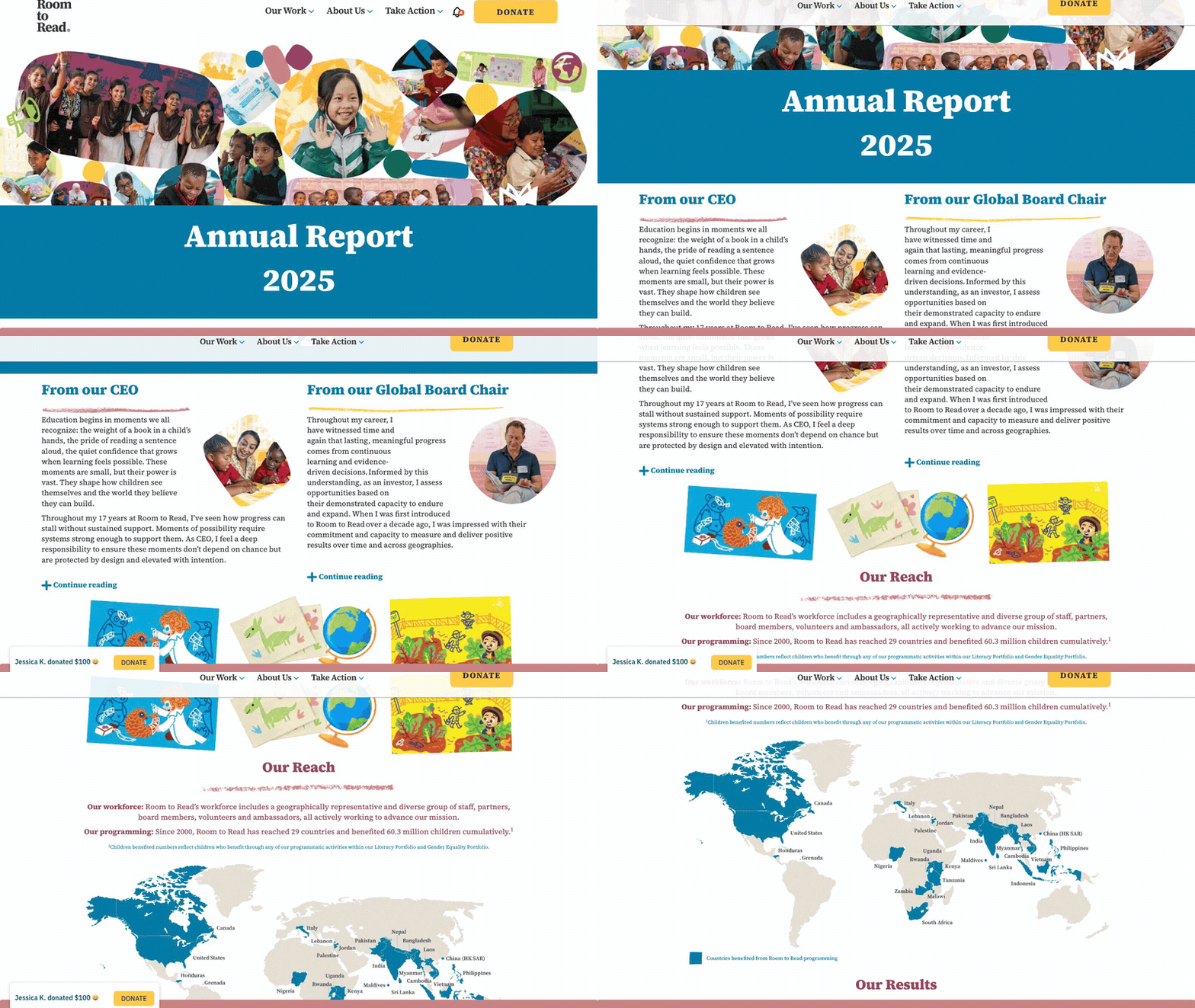
7. Room to Read: 2025 Annual Report
Visit site ↗What it is: A scrolling report with jump links, letters from the CEO and the global board chair, "Our Reach" with a map, "Our Results", four chapters on how the work gets done (most with a deeper page), supporters and 2025 financials.
Worth copying: Results are labeled preliminary, "as of January 2026": saying where a number stands beats correcting it later. The deeper chapter pages let skimmers skim and specialists dig.
Watch out for: The financials are one statement (at least 85 cents of each dollar directly supports its programs) and a link to audited statements. Funders comparing organizations will look for income and expense totals.
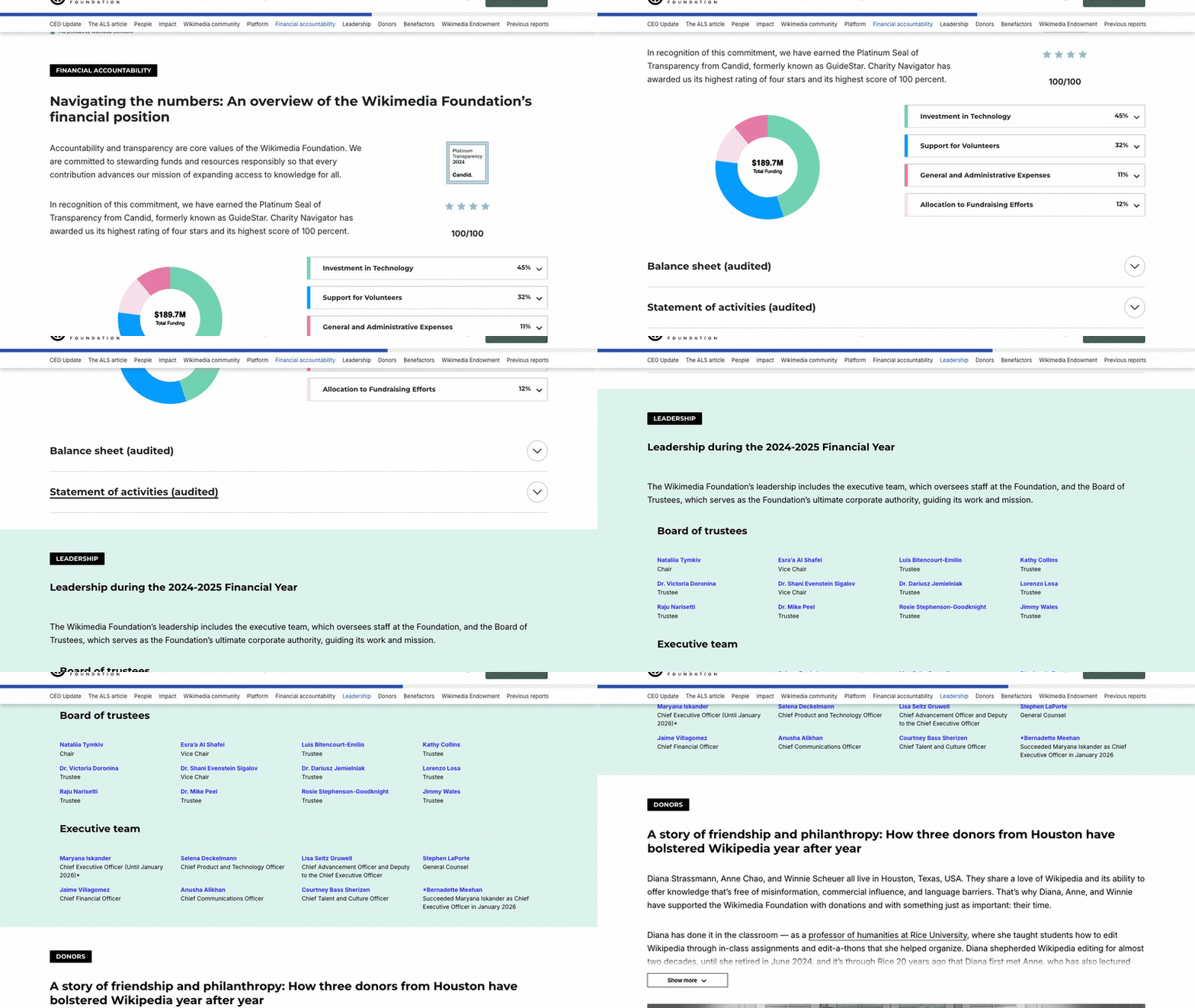
8. Wikimedia Foundation: 2024-2025 Annual Report
Visit site ↗What it is: The foundation behind Wikipedia publishes its report as a web page with a PDF download: a CEO update, one long feature on the history of Wikipedia's ALS article, community profiles you step through on a map, financial accountability, leadership, benefactors listed by giving level and a carousel of previous reports.
Worth copying: Finances at two depths: a spending split for skimmers (45% technology, 32% volunteer support, 12% fundraising, 11% general and administrative) and the audited statements for those who want them. Past reports stay online, so old links keep working.
Watch out for: A large organization's report, with the length to match. Borrow the structure, not the length.
For company, startup and team reports, see annual report examples. For reports that lead with outcomes rather than the calendar year, see impact report examples.
PDF or web: reach, sharing, accessibility, cost
You do not have to pick one. Four of the eight examples above pair the web page with a PDF. The real question is which version you send people to.
| Web page | ||
|---|---|---|
| Reach on a phone | A page sized for print. Readers pinch and zoom, or give up. | Text reflows to the screen; one idea per screen is possible. |
| Sharing | An attachment or a download link. Once downloaded, you cannot tell whether it was read. | A link with a preview card. You can link straight to a section, such as the thank-you, and with analytics on the page see visits and how far people scroll. |
| Accessibility | Works with screen readers only if the file is tagged (the PDF/UA standard). Design-tool exports often are not. | Headings, lists, tables and alt text are built into HTML, and WCAG 2.2 is written for web content. Fails when charts or numbers are images only. |
| Cost | Design time, plus printing and postage if you mail it. | Design or developer time, or a tool subscription, plus hosting. |
| Corrections | Re-export and resend; the old copy stays in inboxes. | Fix it once at the same link. |
| Archive and formal use | A fixed copy for board packs, grant files and auditors. | Needs a stable URL and an export to outlive a platform change. |
Our view: send the web page, and keep the PDF for the board, auditors, grant files and anyone who wants paper. Link the PDF from the page so nobody has to ask. If some major donors prefer print, mail a short printed summary that points to the link.
On accessibility, the reference is the W3C's WCAG 2.2, the current version of the web accessibility guidelines. Whichever format you publish, test it: read it with your phone's screen reader (VoiceOver on iPhone, TalkBack on Android) and with "reduce motion" switched on.
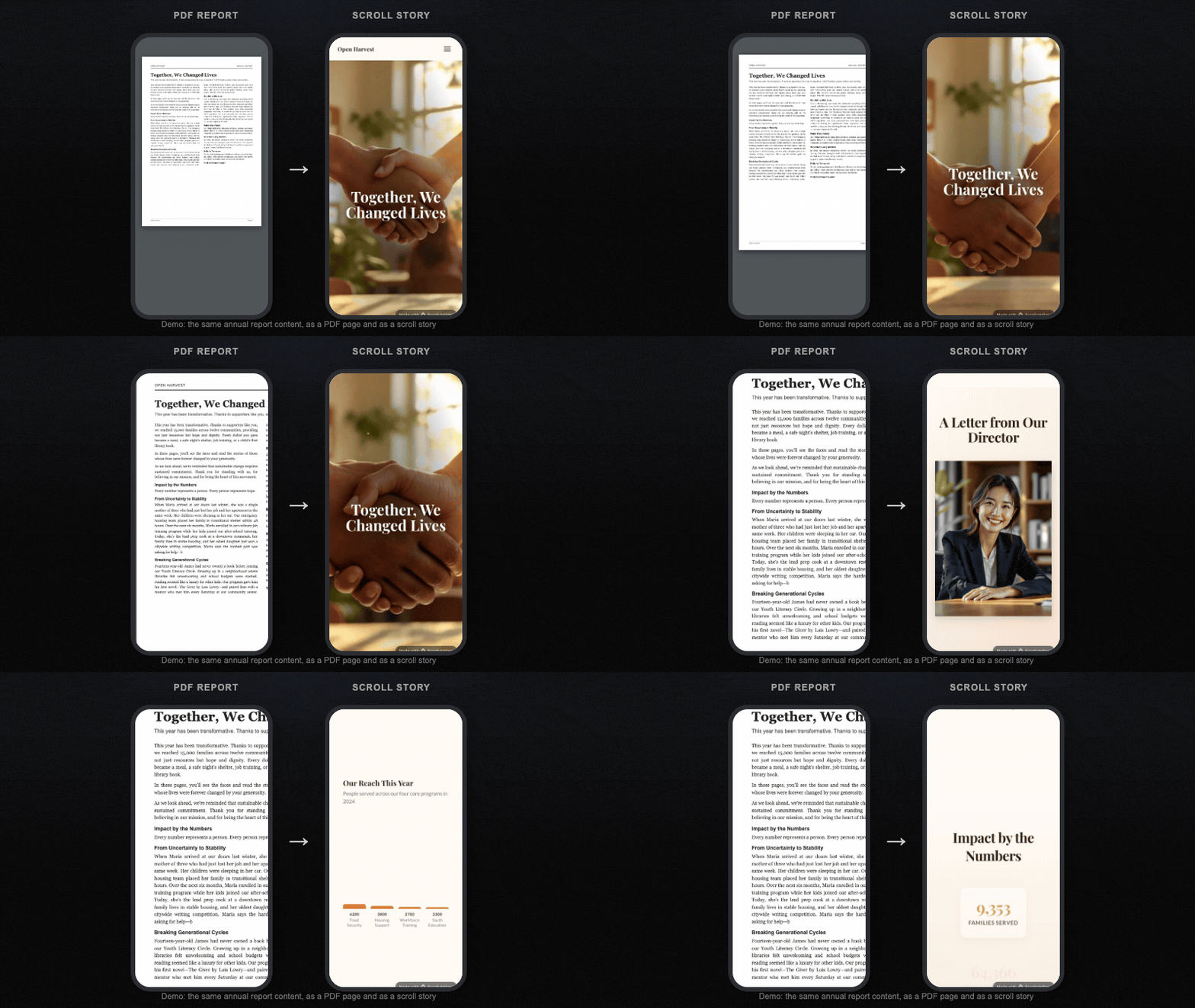
Make yours from last year's PDF, step by step
Last year's PDF is your best first draft: the structure is there, and so is half the content.
- Take last year's PDF apart. Note what it has, section by section, and mark what is out of date or missing, using the checklist above.
- Update the numbers in one sheet. Agree the figures with your finance and program leads before anyone writes copy around them.
- Choose one to three stories and get written consent for names, quotes and photos.
- Upload the PDF to the annual report maker. It also takes Word, TXT, Markdown, CSV, JSON and HTML files, or a link to an existing page. The AI drafts the sections, copy and images. Prefer to start from a design? Open the Nonprofit Annual Report template or browse the annual report templates.
- Edit section by section. Every word, image, color and chart is editable. Swap generated images for your own photos, check every figure against your sheet and read the generated copy as a fact-checker would: it is a draft, not a source.
- Link the documents. Add links to the full PDF, the audited statements and, in the US, your Form 990.
- Test it on a phone, with a screen reader and with reduce motion on, and send it to one board member who has not seen it.
- Publish. The Free plan publishes one story on a scrollytelling.ai link with a small badge; Pro adds your own domain and more published stories. You can also embed it with the WordPress plugin or embed code, and download a self-contained ZIP on every plan for your archive.
- Next year, duplicate this year's report and update it, rather than starting over.
Pro is from $12 a month with 250 credits, yearly billing is available, and you can cancel any time. Running a campaign as well? The nonprofit campaign templates use the same editor. For a wider look at the tools in this category, see interactive annual report software.
Frequently asked questions
What goes in a nonprofit annual report?
Seven parts: a letter from the executive director or board chair, the year in numbers, one to three stories, a short section per program, a financial summary linked to the audited statements, thanks to donors, volunteers and partners, and next year's goals with one call to action. The checklist on this page covers each part.
Do nonprofits have to publish an annual report?
It depends on the country you are registered in and on what your funders require, so check with your accountant, lawyer or regulator; this is not legal advice. A designed report for donors is often a choice rather than a filing, but many grant agreements ask for a yearly report. In the US, most tax-exempt organizations file a Form 990-series return with the IRS each year (990-N, 990-EZ or 990 depending on size; private foundations file 990-PF). Form 990 is a tax information return with fixed questions, which is different from an annual report written for donors. Many US states also ask nonprofit corporations for a short periodic filing, often called an annual report, which updates the registration and is not a donor report either. In England and Wales, the Charity Commission's guidance says every registered charity must write a trustees' annual report, a formal document with set contents. Other countries have their own rules.
How long should it be?
Long enough to cover the seven sections, short enough to read in one sitting: a letter under 400 words, four to six figures, one to three stories, a short block per program and a one-screen financial summary. Many small nonprofits fit that on one web page, with full donor lists and audited statements in linked files.
How do we send it to donors?
Send a link, not an attachment. A short personal email from the executive director with one figure, one line from a story and the link beats a newsletter blast. Call or write to major donors yourself and mail a printed summary to those who prefer paper. Then put the report on your website, share it on social media, ask board members to forward it, and add the link to grant applications.
Turn last year's PDF into a report donors read
Upload your report PDF and get an interactive version: the letter, the year in numbers, stories and finances as one scrolling page you can edit. Free to start. Pro from $12/month, cancel any time.
Upload your report PDF → Annual report templates →