Flourish pricing in 2026: what the free plan includes, what Publisher gates, and the cheaper way to scrollytell
Last updated: October 17, 2026 · Data visualisation and story tool, owned by Canva
Flourish pricing in 2026
Flourish's pricing page on October 17, 2026 lists four plans and no prices. Free is genuinely useful; Presenter comes bundled with a Canva Business or Enterprise subscription; Publisher and Enterprise are "get in touch". The feature most people land here for, scrollytelling, is explicitly limited to the two quote-only plans.
| Flourish plan | Price | What you get |
|---|---|---|
| Free | $0 | Unlimited projects and visualisations, public publishing and embedding with Flourish attribution, click-through (slide) stories |
| Presenter | Included with Canva Business or Enterprise | Billed through Canva; for presenting rather than publishing |
| Publisher | Get in touch | Team features, custom theme, HTML export, and scrollytelling |
| Enterprise | Get in touch | Multiple themes, SSO, rendering API, SLAs |
Is Flourish free? Yes, and more generously than most: unlimited charts, maps and click-through stories, published publicly with a "made with Flourish" credit. What is not free is the scroll-driven story format: Flourish's own page says scrollytelling is available on Enterprise and Publisher plans only. A third-party figure of about $999 a month for Publisher circulates online but could not be verified. Prices checked on October 17, 2026 on flourish.studio/pricing.
Flourish vs Scrollytelling.ai: what each one is
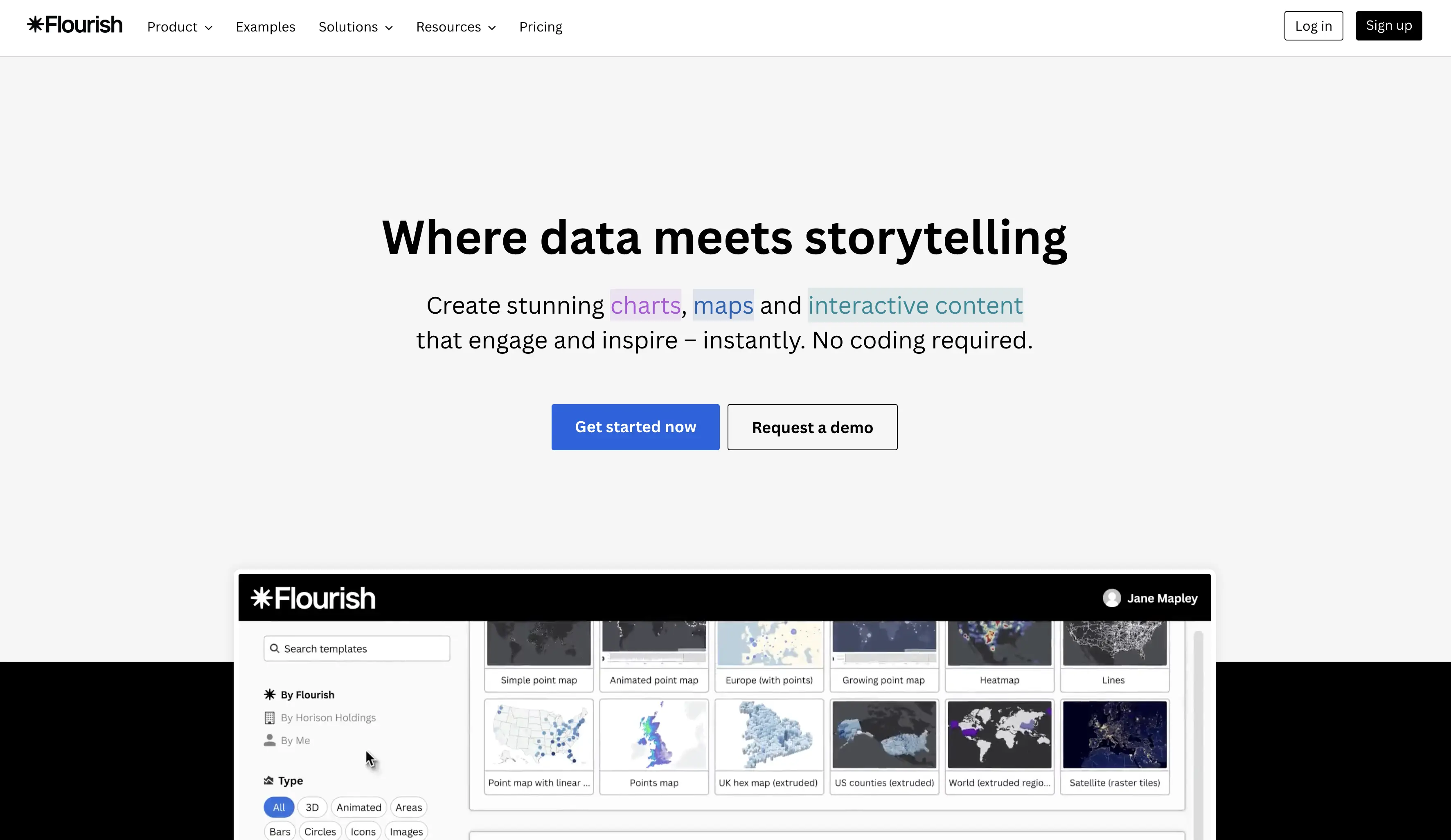
Flourish is the best tool in this list at one thing: animated charts, maps and data visualisations that embed anywhere. Newsrooms and analysts use it daily, Canva owns it, and the free plan is honest. Its "story" formats come in two kinds: click-through slides, which are free, and scrollytelling, where charts change as the reader scrolls, which is not.
Scrollytelling.ai is a page builder, not a chart tool. It generates and hosts the whole scroll-driven story, hero video, sections, text and images, and it embeds a Flourish chart like any other embed. That combination is the practical answer for a data journalist on a budget: keep Flourish for the charts you already know, and put them inside a scrollytelling page that costs $10 a month instead of a Publisher contract.
Side by side
| Feature | Scrollytelling.ai | Flourish |
|---|---|---|
| Price | Free plan; Starter $12/mo ($10 yearly); Pro $29 ($24 yearly); Pro+ $59 ($49 yearly) | Free; Presenter via Canva Business; Publisher and Enterprise by quote |
| Free plan | Yes: 60 monthly credits, 1 published story on a scrollytelling.ai link | Yes: unlimited charts and click-through stories, public with attribution |
| Scrollytelling | Core of the product: scroll-scrubbed hero video, stacking cards, split scroll, reveals, scenes | Only on Publisher and Enterprise plans |
| AI generation | Full story from a prompt, a URL or an uploaded PDF, images and hero video included | No |
| Hosting and domain | Hosted; custom domain on every paid plan; WordPress and Shopify embeds | Hosted embeds; no page hosting or custom domain |
| Editing | Visual editor, free manual edits; AI edits use credits | Template-based chart editor |
| Export | .zip of the story and HD PDF on every plan, Free included | HTML export on Publisher |
| Team | Invite members on Pro and Pro+ | Team features on Publisher and above |
What Flourish does better
For data, Flourish wins outright. Its chart and map templates, animation between data states, and the sheer range of visualisation types are years ahead of anything a general builder offers, and the free plan lets you publish them. If the story is the data, start in Flourish.
It is also the right choice when your organisation already pays for Canva Business, because Presenter arrives in the bundle, and when a newsroom needs the rendering API, SSO and SLAs that Enterprise provides.
Where Flourish falls short, and who should look elsewhere
Flourish's scrollytelling is a feature inside a data tool, and it is gated behind the two plans that need a sales conversation. A freelancer or a small newsroom that wants one scroll-driven feature a month has no self-serve route to it. The stories are also chart-centred: no hero video, no page design, no sections of prose and photography, no hosting of a full article. You still need somewhere to put the story.
Finally, free projects carry Flourish attribution and must be public, which is fine for journalism and a problem for client work.
If you are coming from Flourish
Keep your charts. Publish them on Flourish's free plan as you do now, then embed them into a Scrollytelling.ai story with the embed widget. The chart stays interactive; the page around it scrolls.
Let the AI build the page. Describe the story or paste the article URL and you get the sections, the hero video and the imagery; drop the Flourish embeds where the data belongs.
What you lose: charts that change on scroll inside a single Flourish story. For that exact effect, Publisher is the only route, and if you have the budget it is a good product.
Verdict
Choose Flourish if your work is the chart, your organisation can buy Publisher or already has Canva Business, and you need data that animates as the reader scrolls.
Choose Scrollytelling.ai if you want a scroll-driven story page you can build today for free and publish for $10 a month, with Flourish charts embedded where they belong.
Frequently asked questions
How much does Flourish cost?
Flourish publishes no prices. Free is $0, Presenter is included with Canva Business or Enterprise, and Publisher and Enterprise are quote-only (checked October 17, 2026).
Is Flourish free?
Yes for visualisations and click-through stories: unlimited projects, public publishing and embedding with attribution. Scrollytelling, where charts change on scroll, needs the Publisher or Enterprise plan.
Can I do scrollytelling with Flourish for free?
Not inside Flourish. The workaround is to publish your charts free on Flourish and embed them in a scrollytelling page built elsewhere; Scrollytelling.ai lets you build that page free and publish it from Starter at $10 a month billed yearly.
Does Scrollytelling.ai have charts?
It has a chart widget for simple animated numbers and bars, and it embeds Flourish, Datawrapper and other chart tools. For serious data visualisation, use Flourish for the chart and Scrollytelling.ai for the page.
Which is better for a student or a small newsroom?
Flourish free for the charts, Scrollytelling.ai for the story page: build it and publish your first one free, then add a custom domain and 10 published stories from Starter at $10 a month billed yearly.
What does Flourish Publisher cost?
Flourish does not say; it is quoted per organisation. A figure of about $999 a month is cited by third parties but we could not verify it, so treat it as a rumour until a sales call confirms it.
Try the $0 plan before you decide
Build your story free, no card. To publish it, Starter is $10 a month billed yearly.
Start for freeCompare Scrollytelling.ai with other tools
Exploring your options? Read our other detailed comparisons: