The 12 at a glance
Only product pages here, from brands that ship phones, audio, wearables, drones and consumer goods, grouped by the effect the scroll drives: the first decision you make for your own page.
How we checked. On November 22, 2026 we scrolled each page in desktop Chrome at 1,440 × 900, then scrolled back up to see whether the effect reverses. Weight is all data transferred by the bottom of the page. Petralithe and Lunar also appear in our scrolling websites list.
| # | Product page | What the scroll drives | Weight after a full scroll |
|---|---|---|---|
| 1 | Apple iPhone 18 Pro | Scrubbed video | 10.2 MB |
| 2 | Petralithe wall panels | Scrubbed video | 11.7 MB |
| 3 | Lunar luggage wheel | 3D turn from pre-rendered frames | 10.7 MB |
| 4 | Huawei Mate X6 | Phone folds shut | 15.3 MB |
| 5 | Sonos Arc Ultra | Exploded view | 24.5 MB |
| 6 | Organimo | Live 3D scene | 24.4 MB before scrolling |
| 7 | DJI Mini 5 Pro | Video frame grows to full screen | 11.3 MB |
| 8 | Birdbuddy Nook | App joins the product | 6.3 MB |
| 9 | Elgato Stream Deck + | Pinned colorway stepper | 17.5 MB |
| 10 | Logitech MX Master 4 | Photo grows under the buy box | 20.6 MB |
| 11 | Ultrahuman Ring AIR | Sticky split, x-ray view | 19.6 MB |
| 12 | Insta360 X5 | Cards stack over a pinned video | 108.6 MB |
Brand names identify the pages we reviewed. None of these brands is affiliated with Scrollytelling.
Scroll-scrubbed video
The scrollbar is the playhead: a paused video in a pinned section moves forward as you scroll, stops when you stop and runs backwards when you scroll up. Use it when the in-between frames show something real.

1. Apple iPhone 18 Pro
Visit site ↗What the scroll does: In "Pro camera system", a 5-second video pinned under "Eye-opening control." pulls back from the main lens to the whole camera module. The video stays paused; its position followed the scrollbar from 0.3 to 5 seconds over about 2,000 px and ran backwards on the way up.
Worth copying: The reduced-motion fallback. With reduce motion on, the section showed a still of the camera and became much shorter.
2. Petralithe
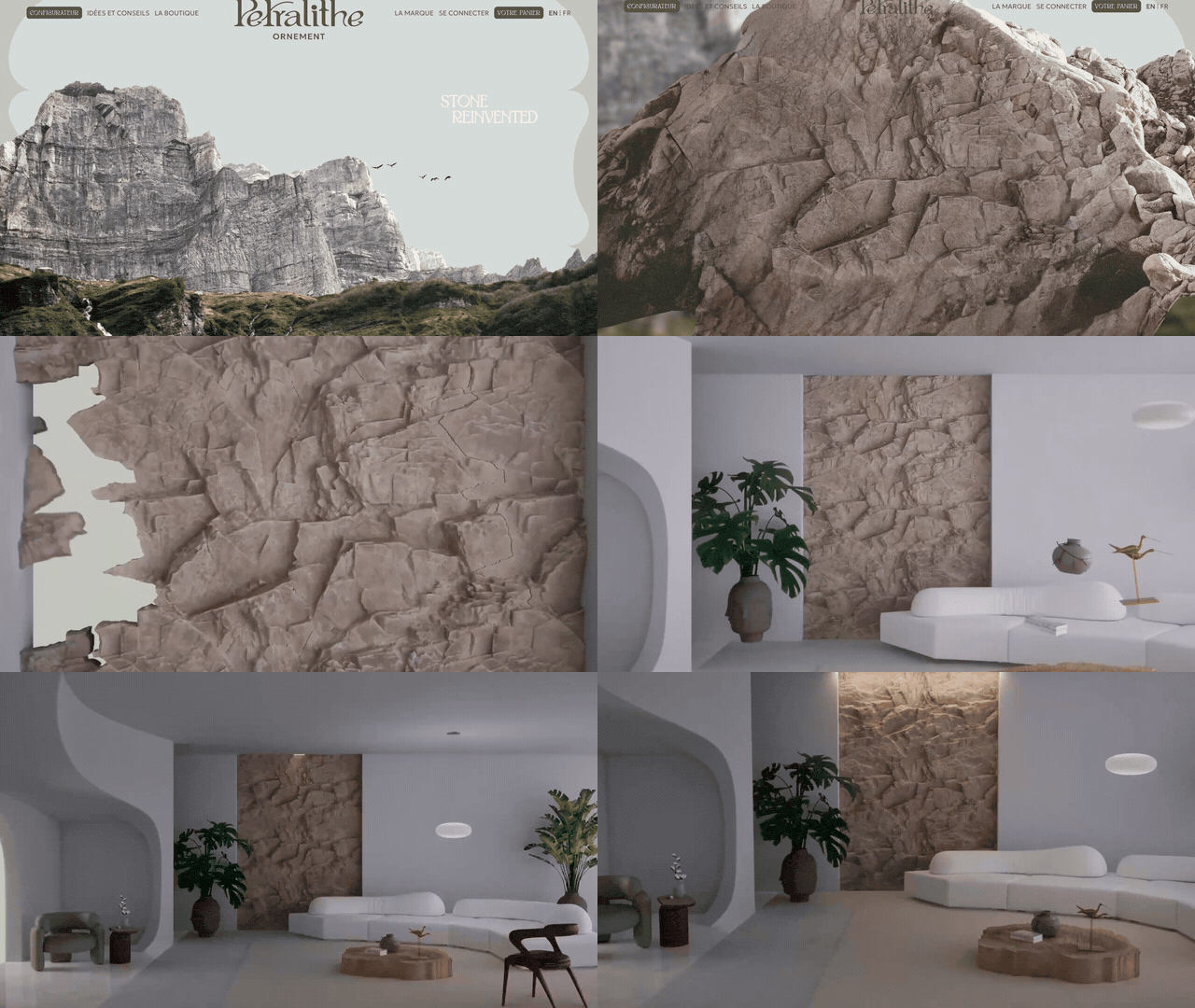
Visit site ↗What the scroll does: Petralithe makes 3D stone-effect wall panels in France. Its home page opens on a mountain cliff ("Stone reinvented"); scrolling moves a pinned, paused video into the rock, which becomes one panel and lands on the wall of a living room. Playback reached 14 seconds after about 3,100 px.
Worth copying: The scrub shows what the panel looks like on a wall before any copy does.
Watch out for: The pinned hero ran for more than three screens.
3D turns, folds and exploded views
The product itself moves: it turns, folds or comes apart. Three of these pages redraw a canvas as you scroll; the fourth renders live 3D. Pre-rendered frames are the safer default, because the device only shows pictures.

3. Lunar
Visit site ↗What the scroll does: Lunar is a pneumatic wheel for cabin luggage, made in Italy by Crash Baggage. The wheel rises out of the dark like a planet under "The quietest wheel in the universe.", then turns to a three-quarter view. It is pre-rendered WebP frames drawn to a canvas: 662 frames in four sequences in our session.
Worth copying: A 3D look with no live 3D, so a phone shows it as smoothly as a laptop.
Watch out for: The page replaces the browser's scrolling with its own (Locomotive Scroll).
4. Huawei Mate X6
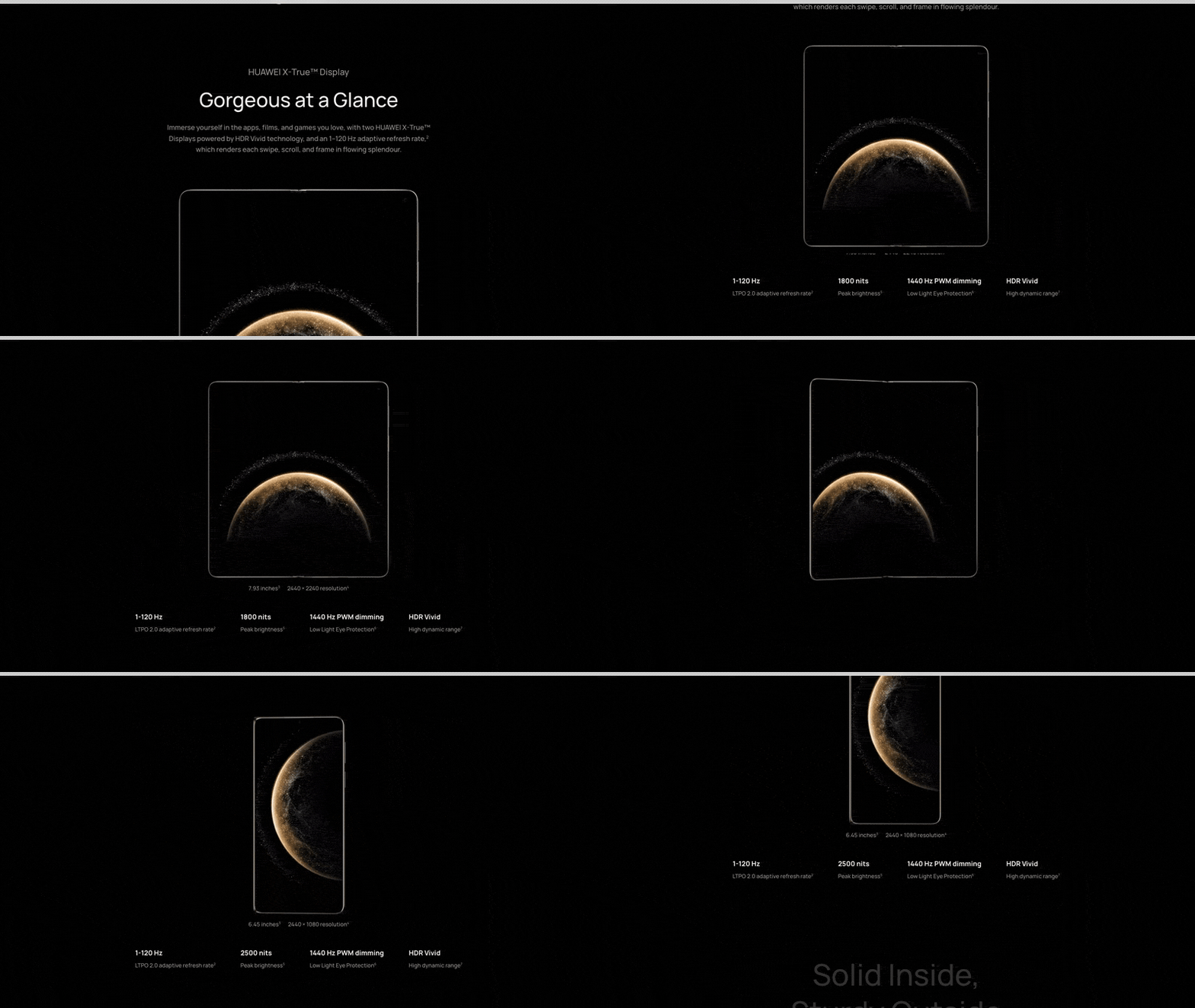
Visit site ↗What the scroll does: In "Gorgeous at a Glance", the open foldable holds mid-screen above "1800 nits" for its 7.93-inch main screen. Scroll and it folds shut into the 6.45-inch cover screen while the figure changes to 2,500 nits; scroll up and it opens again. The phone is drawn on a canvas.
Worth copying: The animation is the product's main claim, and each end state carries its own spec numbers.
5. Sonos Arc Ultra
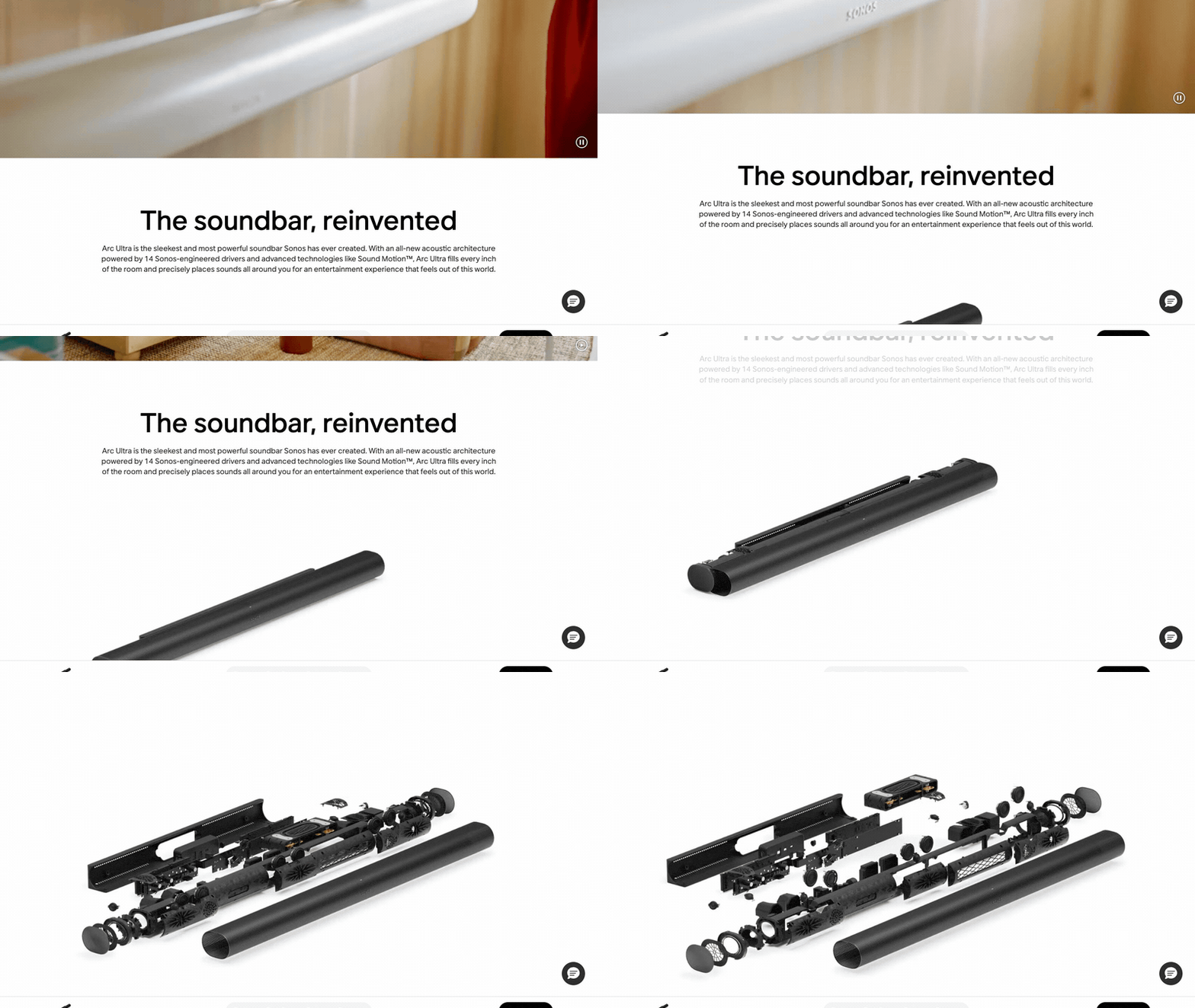
Visit site ↗What the scroll does: This is the shop page itself, with price and Add to cart at the top and a sticky Add to cart bar. Under "The soundbar, reinvented", a render of the soundbar slides apart into an exploded view as you scroll and reassembles on the way up. Plus-sign hotspots on the parts open short notes.
Worth copying: The story sits below the buy box instead of replacing it.
Watch out for: 8.9 MB before scrolling, 24.5 MB after.
6. Organimo
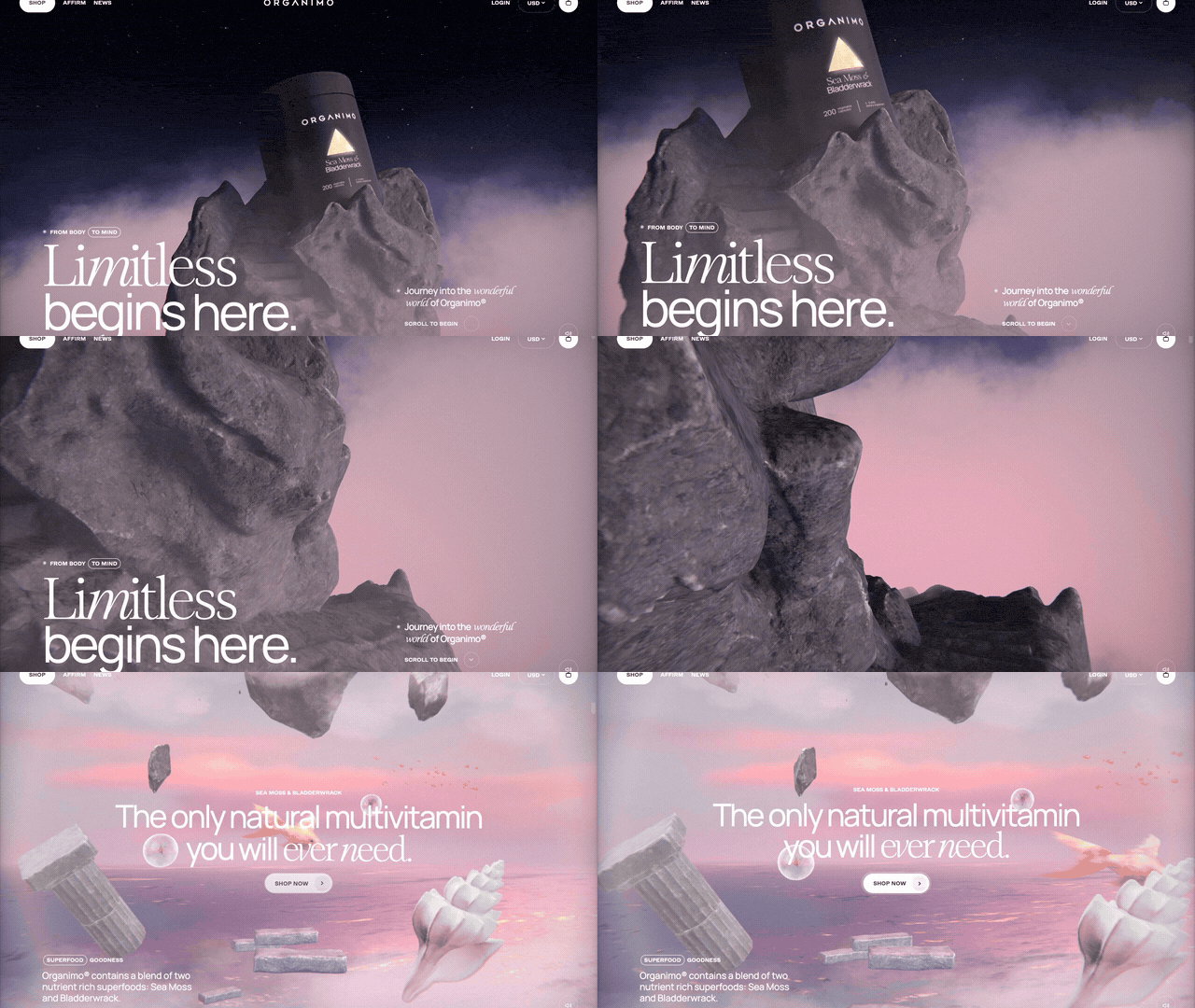
Visit site ↗What the scroll does: Organimo sells a sea moss supplement; Unseen Studio built the store in 2024, per the studio's project page. The page is one 3D scene: the jar stands on a rock above the clouds, and scrolling flies the camera down into a pink sea of columns, shells and coral, where "The only natural multivitamin you will ever need." appears.
Worth copying: The 3D world comes from the product's story, not from spinning the jar.
Watch out for: 24.4 MB before we scrolled. The page is one screen tall and the window never scrolls, so there is no scrollbar to show progress.
Pinned feature reveals
A section holds still while one thing changes: the media grows, an app joins the product, the color changes. The scroll moves a frame or a layer, not a stack of frames, so these are the cheapest effects here.
7. DJI Mini 5 Pro
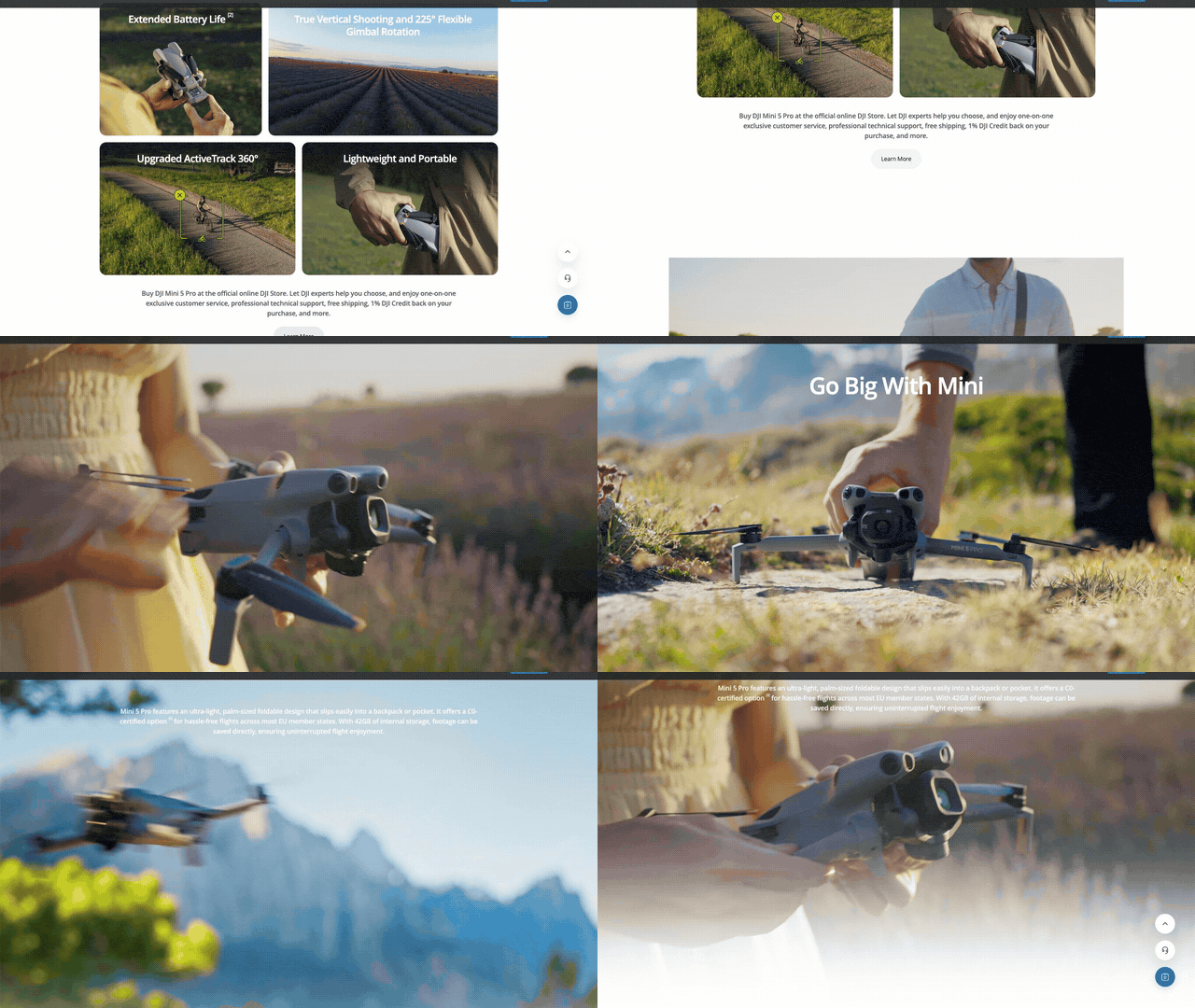
Visit site ↗What the scroll does: In "Go Big With Mini", the section pins and an inset video grows until it fills the screen, then copy about the palm-sized, foldable drone appears over it. The video runs on its own clock: scrolling back shrank the frame while the clip kept playing.
Worth copying: The scroll drives the frame, not the footage, so the clip can be an ordinary web video.

8. Birdbuddy Nook
Visit site ↗What the scroll does: The hero holds the smart bird feeder in place. As you scroll, the headline lifts away and a phone rises with the feeder's live camera view, then a card names the visitor, "Black-capped Chickadee", identified by Birdbuddy AI. Scrolling up reverses every step.
Worth copying: It answers what every connected-device buyer asks: what will I see on my phone? At 6.3 MB after a full scroll, it is also the lightest page here.
9. Elgato Stream Deck +
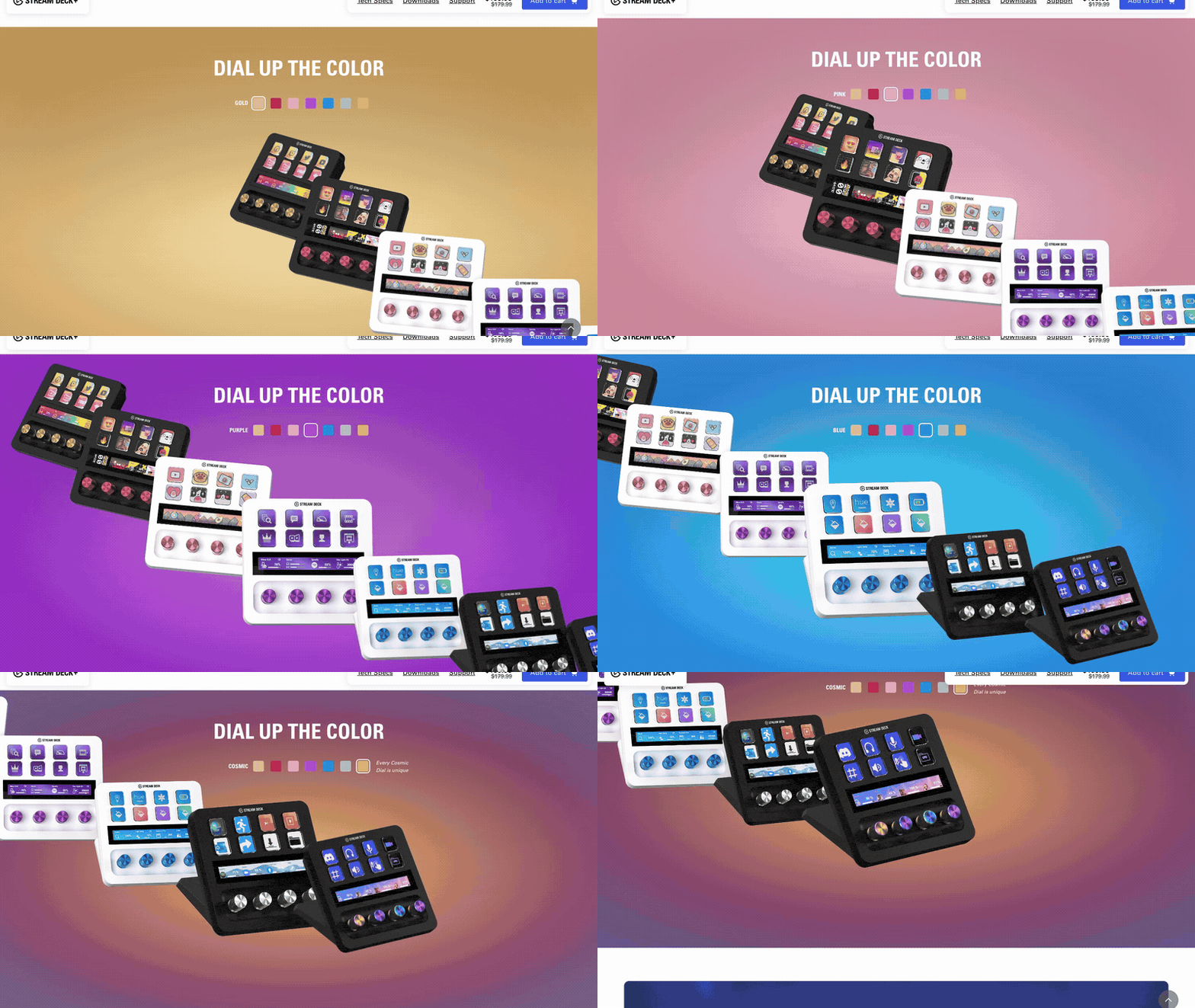
Visit site ↗What the scroll does: The buy box holds still while the photo grid beside it scrolls. Tap, Turn and Touch each get a clip that plays only while on screen. Then "Dial up the color" pins while the background and the device's colors step from gold to red, pink and purple, with swatches marking the current one.
Worth copying: Every color option, shown without a carousel to click through.
Watch out for: The color pin lasted about 4,800 px, more than five screens for one idea.
10. Logitech MX Master 4
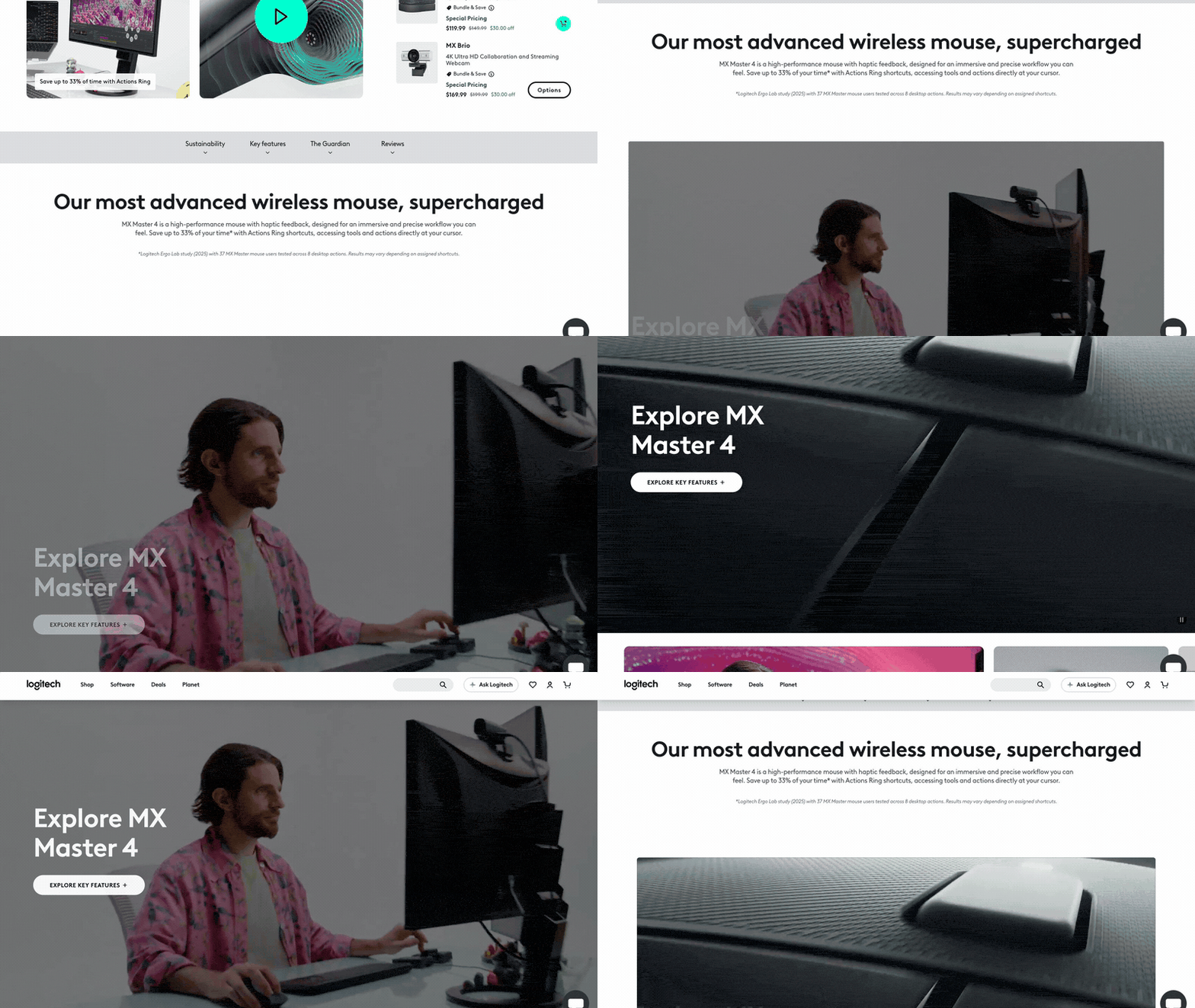
Visit site ↗What the scroll does: A normal store page first: photos, price, Add to cart, description. Below it, under "Our most advanced wireless mouse, supercharged", an inset photo grows to fill the screen as you scroll, with "Explore MX Master 4" fading in; scrolling back shrinks it.
Worth copying: The pattern any store can adopt: standard buy box first, one scroll-linked moment right under it.
Sticky split and stacking
A sticky split pins the product on one side while the text changes on the other. Stacking pins one layer and slides the next over it. Both are light layout effects that keep real text on the page.
11. Ultrahuman Ring AIR
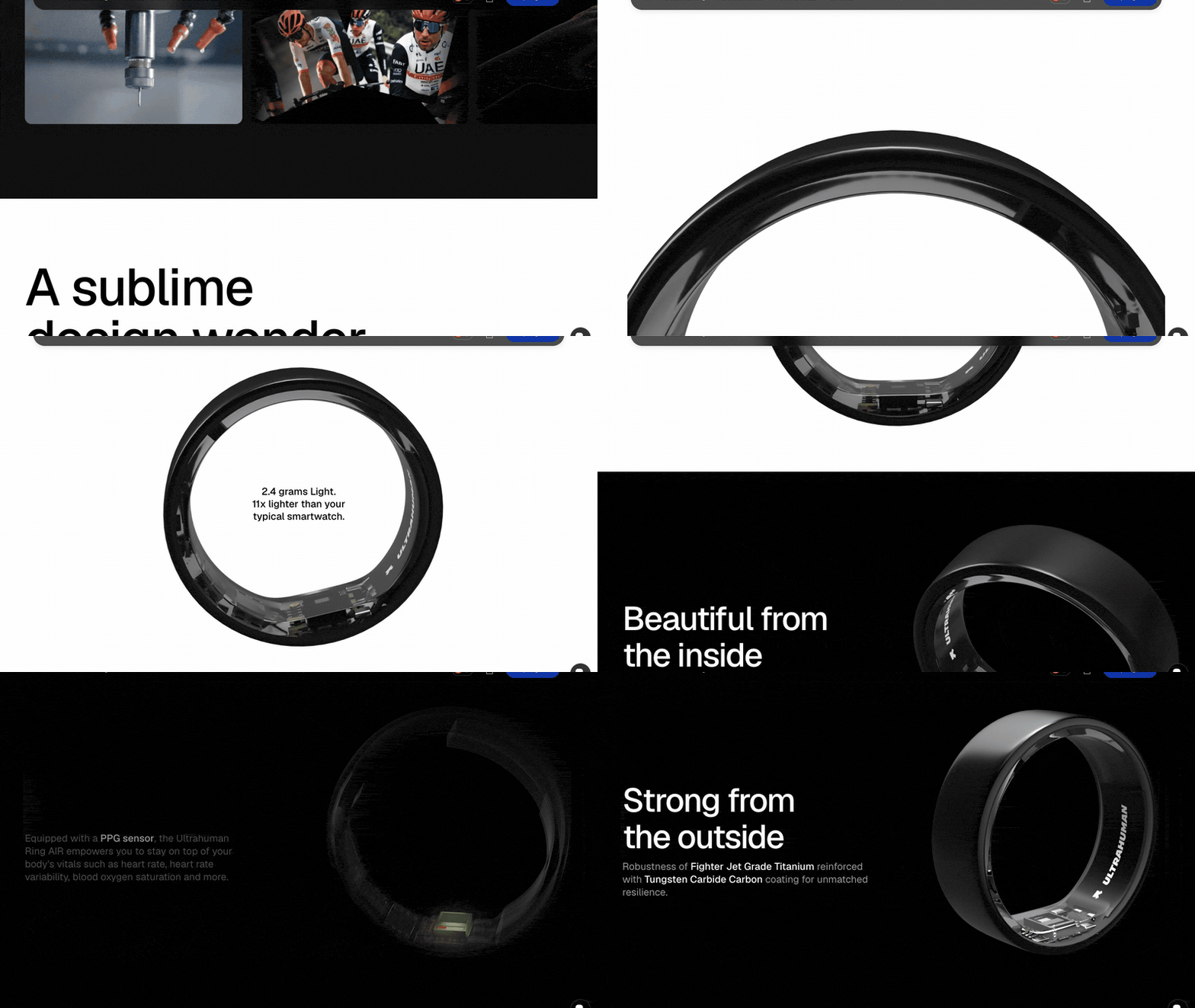
Visit site ↗What the scroll does: In "A sublime design wonder", the ring turns on a canvas until the full band frames "2.4 grams Light." Then "Beautiful from the inside" pins the ring on the right while the copy on the left changes: the shell turns translucent, the PPG sensor glows green, the motion sensor shows, and "Strong from the outside" closes the run.
Worth copying: One pinned product, one visible change per paragraph.
Watch out for: 588 frames at 1,920 px wide in our session. The headings ship inside script data; a text-only fetch of the page did not show them.
12. Insta360 X5
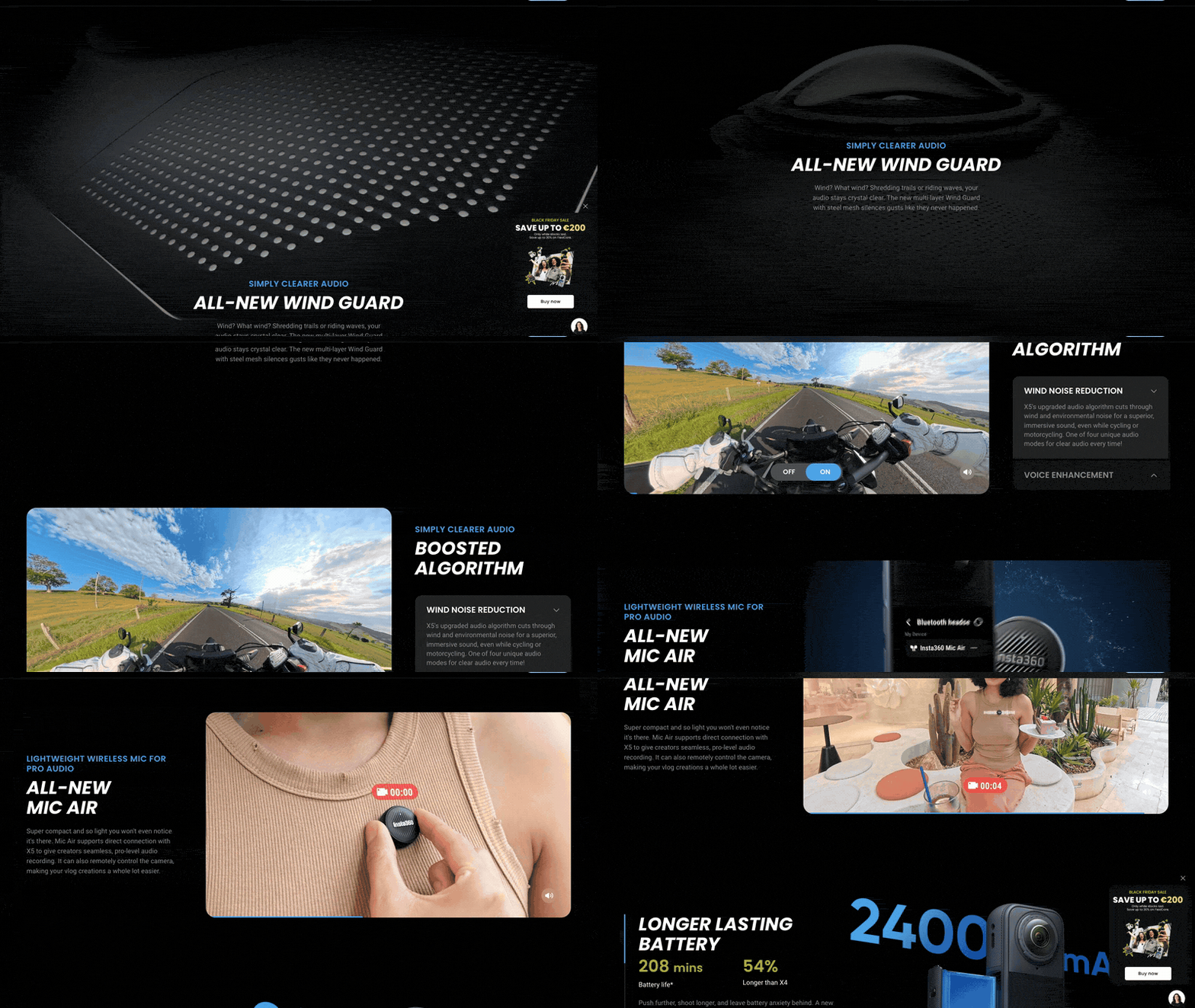
Visit site ↗What the scroll does: The X5 360° camera page is a run of pinned chapters: "Superior image quality" and "The 360° GOAT" hold the screen while a video plays. In the audio chapter, a full-screen video of the wind guard mesh stays pinned while feature cards slide up over it.
Worth copying: Short cards over one pinned video keep a chapter reading as one scene.
Watch out for: 59 video elements and 108.6 MB transferred by the bottom of the page. A floating promotion box covered part of each section.
How each effect is built
All six share one skeleton: a tall section with a position: sticky child that stays on screen while the section scrolls past. Only what the scroll progress drives changes.
| Effect | What the scroll drives | What makes it heavy | Without code |
|---|---|---|---|
| Scrubbed video | The currentTime of a paused video | The clip, encoded with frequent keyframes | Scroll video |
| 3D turn, fold, exploded view | A canvas redrawn from numbered frames | Frame count × frame size | Scroll video with a rendered clip |
| Live 3D scene | A WebGL camera | Models, textures, the visitor's graphics chip | Not offered; pre-render it instead |
| Pinned reveal | Scale, clip or position of a frame or layer | Only the media inside | Split scroll, step wipe |
| Sticky split | The text beside a pinned product | Little | Sticky split |
| Stacking | Panels pinned in turn, each covering the last | Little, unless every panel holds a video | Stacking cards, stacking images |
Tested code for the image sequence, the video scrub and CSS scroll-driven animations is in Apple-style scroll animation; the wider patterns are in the developer guide. Three habits separate the best pages above: one effect per section, real text over the visuals, and a still for visitors who ask for reduced motion.
No-code route: the product page template + scroll-video widget
Most of these effects need no developer. The product page template (the Immersive Product One-Pager) opens with a scroll-scrubbed hero video, then feature reveals that pin, stack and wipe, then a buy box linked to your checkout.
- Start from the template, or paste your product page link into the product page maker for an AI first draft.
- Put your footage in the hero. The scroll video widget turns a clip into canvas frames tied to the scroll, the method Lunar and Ultrahuman use. A turntable render gives you the 3D turn, an exploded-view render the Sonos effect. Uploading a clip uses no credits; generating one with AI does.
- Add layout effects: sticky split for a pinned product beside changing text, stacking cards for panels that stack.
- Publish on a link, your own domain (Pro), an embed, WordPress or Shopify.
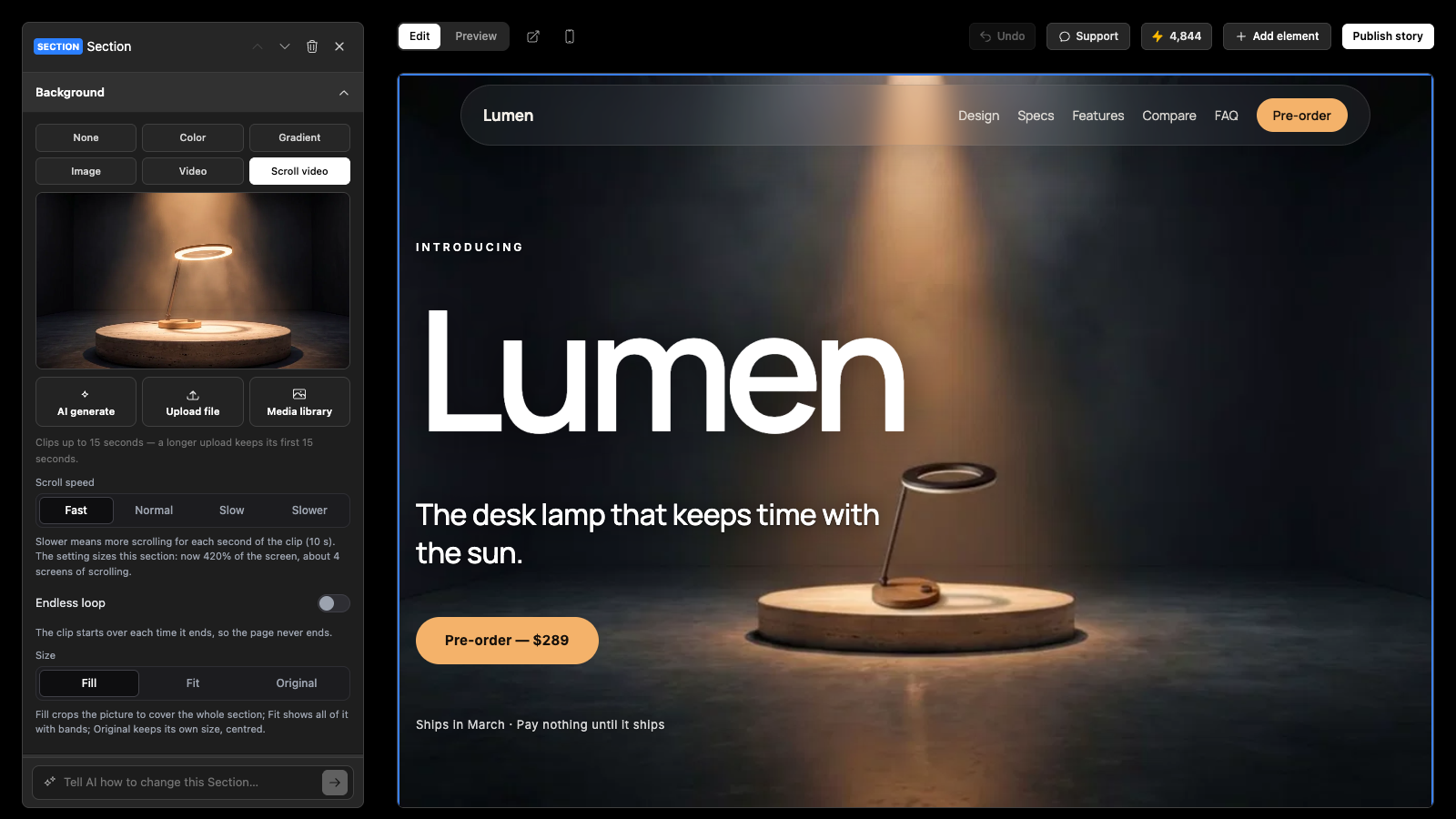
The limit: no live WebGL scenes like Organimo's; render the 3D in advance and scrub it. The Free plan builds pages and publishes one; Pro starts at $12 a month with 250 credits, includes every feature and cancels any time (pricing).
Frequently asked questions
How do Apple-style scroll animations work?
A tall section pins the product to the screen, and the scroll position chooses what it shows: a moment in a paused video, a frame from an image sequence, or a CSS value such as scale. Apple's iPhone 18 Pro page uses a paused video whose position follows the scrollbar. Code for each method: Apple-style scroll animation.
Do they slow the page down?
They can. The twelve pages here transferred 6.3 MB to 108.6 MB by the bottom, and the heaviest load dozens of videos or hundreds of frames. Keep clips short, size frames to the screen, load them as the visitor approaches, and give reduced-motion visitors a still.
Can I do it on Shopify?
Yes. A developer can build it into your theme, or you can use an app. The Scrollytelling app for Shopify builds a scroll-driven product page from your product's photos and copy, with add to cart built in, and publishes it as a page, blog article or theme app block without editing theme code. Building is free; publishing needs Pro, from $12 a month, billed through Shopify.
Start from a scroll product page template
The Immersive Product One-Pager has the scroll-scrubbed hero, the feature reveals and the buy box in place. Swap in your product and publish.
Use the product page template → Paste your product URL →On Shopify? Install the Shopify app.